Pull your dashboard numbers into your own code, sheets, or AI.
1) Get an API key
Dashboard → Website → Settings → API Keys → Create → copy owt_...
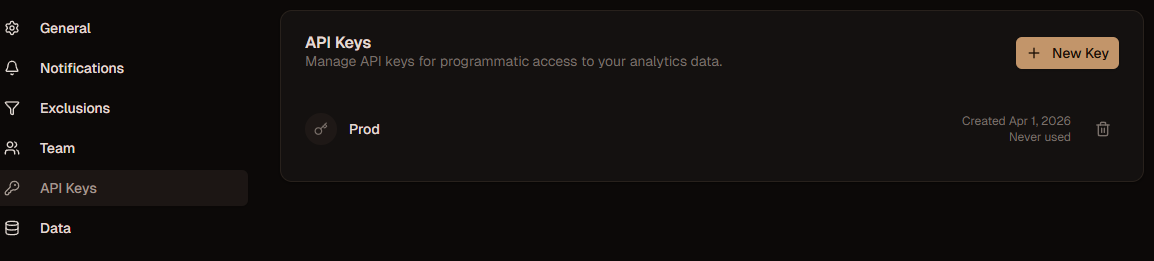
Use it as Bearer:
Authorization: Bearer owt_your_api_key_hereKeys are per-website. Create one per site.
2) Find your websiteId
- URL:
/dashboard/<websiteId>/... - Or call MCP list_websites → or
GET /api/v1/websitesif available
3) Call stats
Endpoint: GET /api/v1/{websiteId}/stats
Query params
| Param | Type | Required | Default | Details |
|---|---|---|---|---|
startDate | string | No | 24h ago | ISO 8601 2026-03-01 |
endDate | string | No | now | ISO 8601 |
granularity | string | No | daily | hourly daily weekly monthly |
cURL - copy/paste
curl "https://your-domain.com/api/v1/550e8400-e29b-41d4-a716-446655440000/stats?granularity=daily"
  -H "Authorization: Bearer owt_..."
For Cloud use https://cloud.openwebtrack.one as your-domain.com. For Self-hosted use your ORIGIN.
JS fetch
const res = await fetch(
  `https://your-domain.com/api/v1/${websiteId}/stats?startDate=2026-03-01&endDate=2026-03-31`,
  { headers: { Authorization: `Bearer ${token}` } }
);
const data = await res.json();
console.log(data.summary, data.topPages);
Response
{
  "summary": {
    "pageviews": 1250,
    "sessions": 450,
    "visitors": 380,
    "bounceRate": 42,
    "dateRange": { "start": "2026-03-26T00:00:00.000Z", "end": "2026-04-01T23:59:59.999Z" }
  },
  "timeSeries": [{ "date": "2026-03-26", "pageviews": 9 }],
  "topPages": [{ "pathname": "/", "views": 500 }],
  "topReferrers": [{ "referrer": "google.com", "sessions": 120 }]
}- Times in website’s timezone
topPages/topReferrers→ top 10
Errors
| Status | Why |
|---|---|
400 | Bad websiteId or date format |
401 | Missing / wrong owt_ key |
404 | Site not found or key belongs to another site |
Next
- AI access? Use MCP Server instead of raw REST
- Track from frontend? → Events, Revenue