Ask your analytics with AI. “How many visitors last week?” - the MCP server answers from your OpenWebTrack data.
Works the same on Cloud and Self-hosted.
Create a key
- Open dashboard -> Account Settings -> MCP access
- Click Generate key -> name it (e.g.
My AI assistant) - Copy key (
owt_mcp_...) - shown once
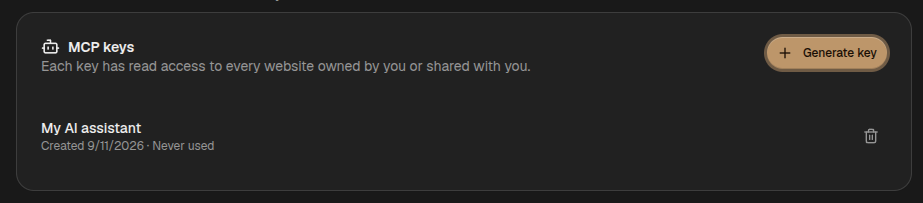
Keys are account-scoped, read-only, and respect your website access. Revoke anytime.
Connect your AI
Endpoint: https://your-domain.com/api/mcp
For Cloud use https://cloud.openwebtrack.one/api/mcp. For self-hosted use your ORIGIN.
Claude Desktop / Cursor
{
  "mcpServers": {
    "openwebtrack": {
      "url": "https://your-domain.com/api/mcp",
      "headers": { "Authorization": "Bearer owt_mcp_..." }
    }
  }
}
Codex
# ~/.codex/config.toml
[mcp_servers.openwebtrack]
url = "https://your-domain.com/api/mcp"
http_headers = { Authorization = "Bearer owt_mcp_..." }
Replace your-domain.com and owt_mcp_....
What you can ask
- list_websites - List your sites (returns
idfor other calls) - analytics_overview - Pageviews, sessions, visitors, revenue, top pages
- analytics_breakdown - By
pages,referrers,countries,browsers,devices,event_names,campaigns - analytics_records - Raw
pageviews,events,sessions,payments,visitors
Tip: Start with
list_websitesto getwebsiteId.
Example:
You: How many visitors last 30 days? AI: (calls
list_websites->analytics_overview) -> “12,480 pageviews from 3,205 visitors, $1,240 revenue.”
Notes
- Read-only, never writes.
- Timezone is per website.
- Server name
OpenWebTrackv0.1.6.